Optional integrations
Outbound email
What it does: delivers the weekly report, alerts, and account mail. When you would use it: always, in practice — a report you have to log in to read is a report you will stop reading.
Vantage uses Laravel's mail system, so any provider Laravel supports works
without a code change. Set MAIL_MAILER in .env to one
of:
| Provider | Set | Notes |
|---|---|---|
| Your host's SMTP | smtp | Already available on most shared hosting. Start here. |
| Amazon SES | ses | Cheapest at volume; requires an AWS account |
| Postmark | postmark | Strong deliverability for transactional mail |
| Resend | resend | Simple setup, generous free tier |
| PostaLynk | postalynk | Bundled with Vantage; set POSTALYNK_API_KEY |
| None | log | Writes messages to the log instead of sending. Useful while testing. |
Expected: after changing MAIL_MAILER, run
php artisan config:clear, then Settings → Send a test
email arrives in your inbox.
Push notifications
What it does: sends alerts to a phone or desktop as a system notification. When you would use it: when a sentiment collapse is something you want to know about within minutes rather than at the next time you check email.
Vantage uses Firebase Cloud Messaging. With no credentials configured the push channel is inert — every notification still reaches you by email and in the in-app bell, and nothing needs changing in code.
- Create a Firebase project In the Firebase console, create a project (the free Spark plan is enough for notifications).
- Download a service account key Project settings → Service accounts → Generate new private key. This downloads a JSON file.
-
Store it outside the web root
Upload it somewhere your web server will never serve, then point Vantage at
it:
FIREBASE_PUSH_ENABLED=true
FIREBASE_PROJECT_ID=your-project-id
FIREBASE_CREDENTIALS=/absolute/path/outside/public/firebase-service-account.json
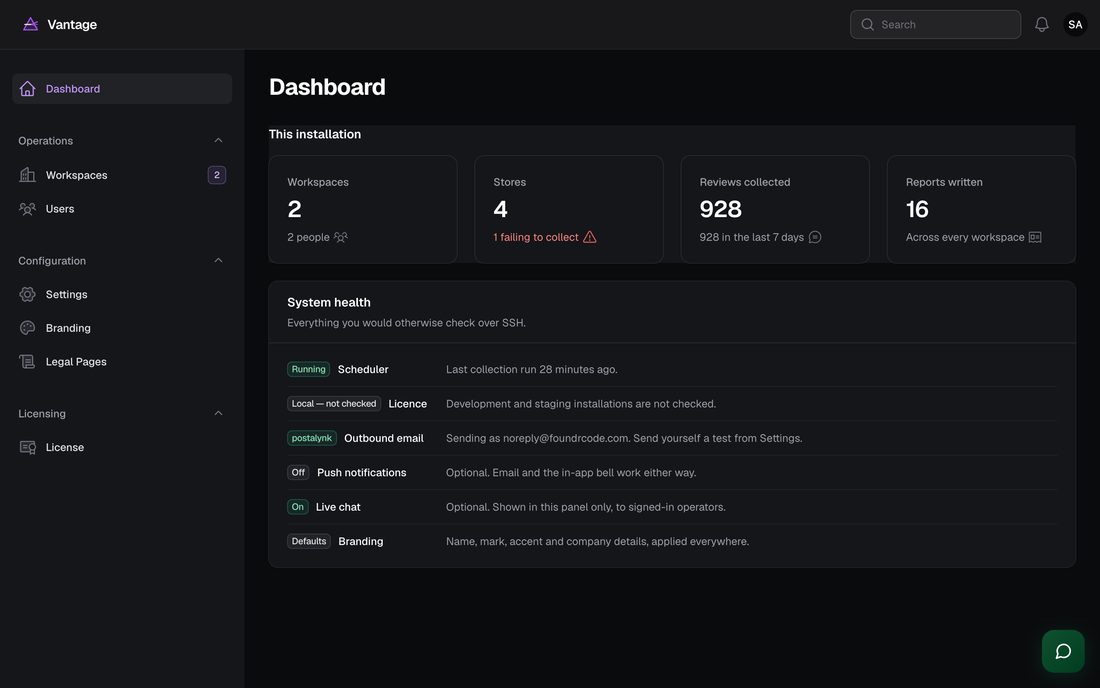
Expected: Settings → Delivery and support shows Push notifications: On.
Alternatives: the alert webhook in Settings → Alerts posts JSON for every alert, so Slack, Discord, Microsoft Teams, Pushover, ntfy or your own endpoint can all receive alerts without Firebase.
Live chat
What it does: puts a support widget in the corner of the admin panel. When you would use it: if you run Vantage for clients and want them to reach you from inside the product.
Vantage bundles Supoora. The widget is shown only inside the admin panel and only to signed-in users — never on the login page or any public page.
SUPOORA_ENABLED=true
SUPOORA_EMBED_KEY=your_embed_key
Your embed key is in the Supoora dashboard under Settings → Widget. It is a public client-side identifier, not a secret. Check it with:
php artisan vantage:chat-testExpected: the command names your Supoora workspace, and the widget appears in the bottom-right of the panel after you sign in.
Alternatives: any chat provider that works from a script tag
— Crisp, Tawk.to, Intercom, Chatwoot (self-hosted) — can be dropped
into resources/views/support/supoora.blade.php in place of the
Supoora tag.
AI analysis
What it does: upgrades the written analysis — the summary, named themes, SWOT and ranked recommendations. When you would use it: when you want the report to read like a person wrote it.
Vantage has a complete offline analysis engine and every feature works without an AI key. See Settings & AI for providers, models and costs. You supply your own key and are billed by that provider directly; Vantage adds no markup and takes no cut.