Vantage
Vantage collects reviews from your Amazon and Shopify stores, scores their sentiment, and turns thousands of them into a weekly report telling you what customers are complaining about, what they love, and what to do about it.
Where to start
Quick start
Eight numbered steps, about ten minutes, no terminal required.
Installation
The web installer in full, plus the command-line route and the cron entry.
Your first store
Connecting Amazon or Shopify and getting the first reviews in.
Email & notifications
What Vantage sends, how to test it, and how to put your own brand on it.
Optional integrations
Email providers, push notifications, live chat and AI — all optional.
Analytics
Trend, distribution, per-store comparison, collection health and spend.
Branding & public pages
Your name, mark and colors; your terms of service and privacy policy.
Your license
Entering your purchase code, and what every status means.
Two dashboards, one sign-in
Vantage has two surfaces, and which one you land on after signing in depends on who you are.
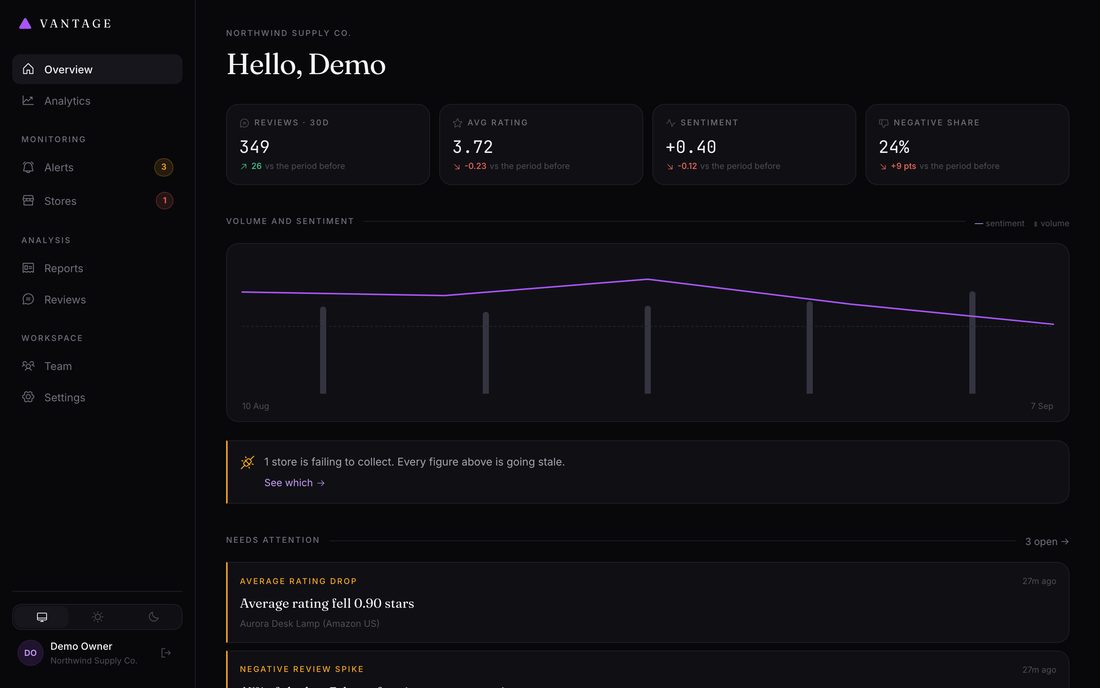
The dashboard — /app
The product. Everything a workspace does with its own reviews: the overview and analytics, alerts, reports, connecting and running stores, its own settings, and inviting colleagues. This is where nearly everyone spends their time.
The operator panel — /admin
The installation. Branding, legal pages, the licence, and the list of workspaces and accounts on this server. Only a super admin can open it, and nothing in the dashboard requires going there.
What you get
Automatic collection
Reviews pulled on a schedule from Amazon products, Shopify stores, or a CSV export from any other review app.
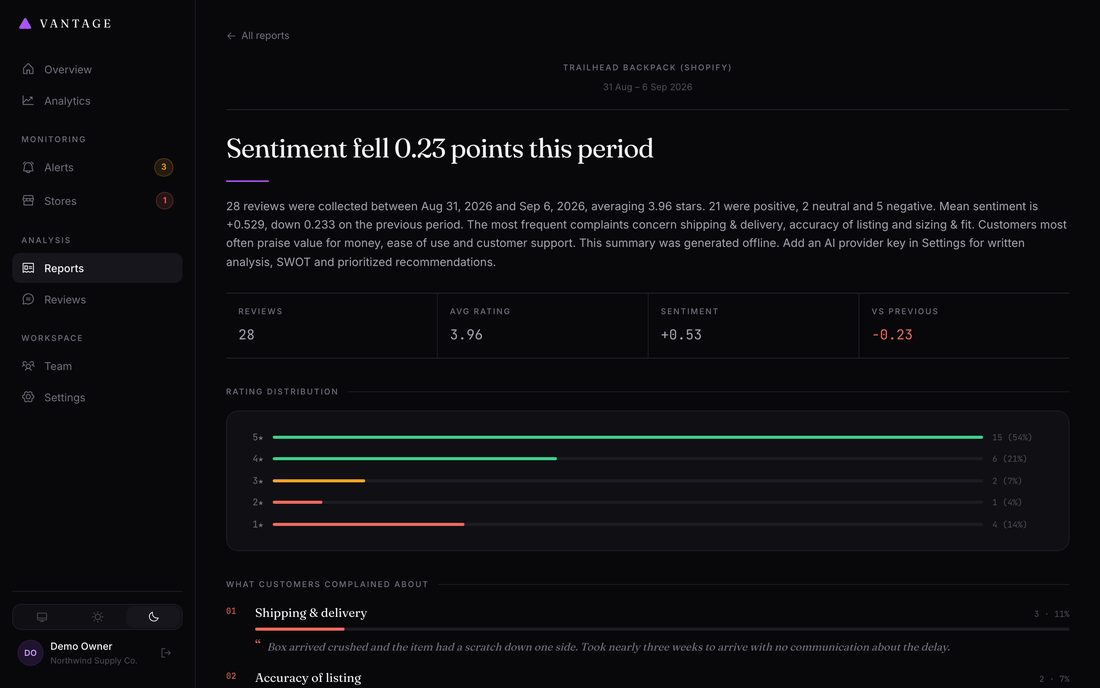
Weekly intelligence report
Sentiment breakdown, rating histogram, ranked complaint and praise themes with real customer quotes, SWOT, and a prioritized action list.
Alerts that mean something
Told when sentiment drops, negative reviews spike, ratings fall, or your review flow dries up — with a noise floor so you aren't pinged over three bad days.
Trends over time
Sentiment charted week by week across every store, with review volume behind it so you can tell a real shift from a small sample.
How it works
- You connect a store Give Vantage your Amazon ASINs or your Shopify storefront URL. It validates them immediately and collects the first batch of reviews right away.
-
Vantage collects on a schedule
By default once a day, politely — respecting
robots.txt, spacing requests out, and backing off if a site pushes back. You never have to think about this. - Every review is scored Each review gets a sentiment score from -1 to +1 and is tagged with the topics it discusses — shipping, packaging, build quality, battery life, and so on.
- A report lands weekly Covering the previous complete week, comparing it against the weeks before it, and telling you specifically what changed.
- You get alerted when something breaks Rather than finding out when you check the dashboard next month.
A note on the numbers
Everything numeric in a Vantage report — counts, averages, percentages, week-on-week changes, the rating histogram — is calculated directly from your review data. When an AI provider is connected, it is used only to write the words: naming themes, drafting the summary, reasoning about the SWOT.
This matters because it means a Vantage report cannot invent a statistic. If it says 38% of reviews mentioned shipping, that number came from counting.
Where to next
Installation →
Server requirements, upload, database, cron, and the one setting you must change before going live.
Connect your first store →
Amazon by ASIN, Shopify by URL, or a CSV export from any review app.
Reading a report →
What each section means and how to act on it.
Troubleshooting →
What to do when collection stops working — including the fixes you can apply yourself.