Connecting your first store
Vantage reads reviews from four kinds of source. Pick the one that matches where your reviews actually live.
Amazon
Vantage tracks Amazon products by ASIN — the ten-character code in every Amazon product URL.
https://www.amazon.com/dp/B08N5WRWNW/
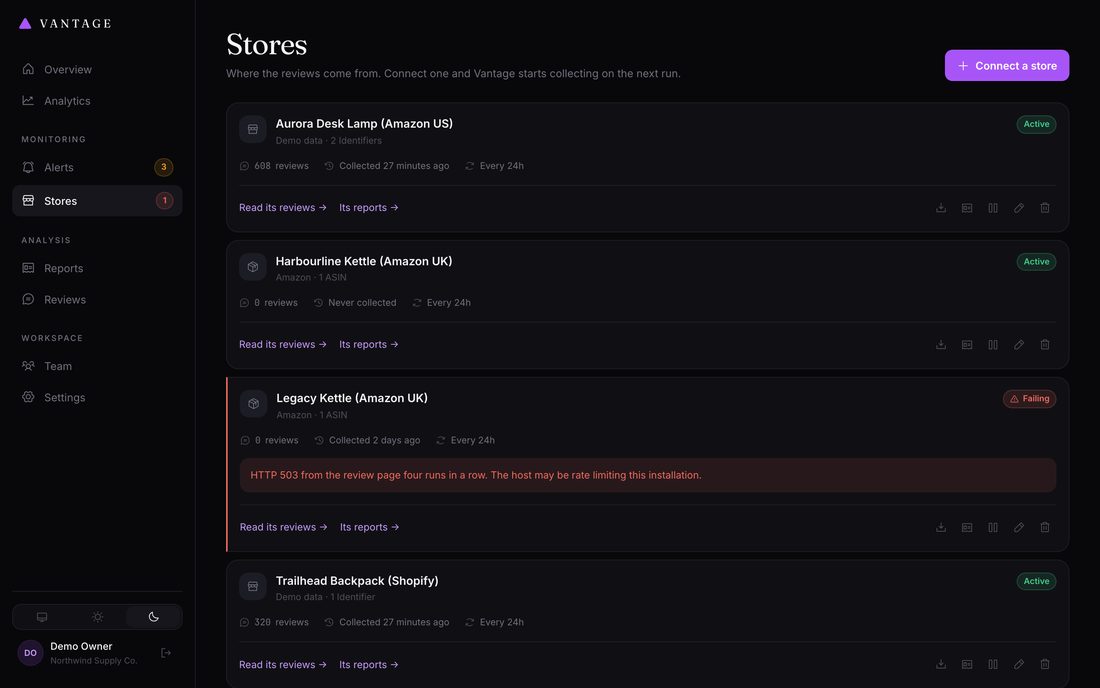
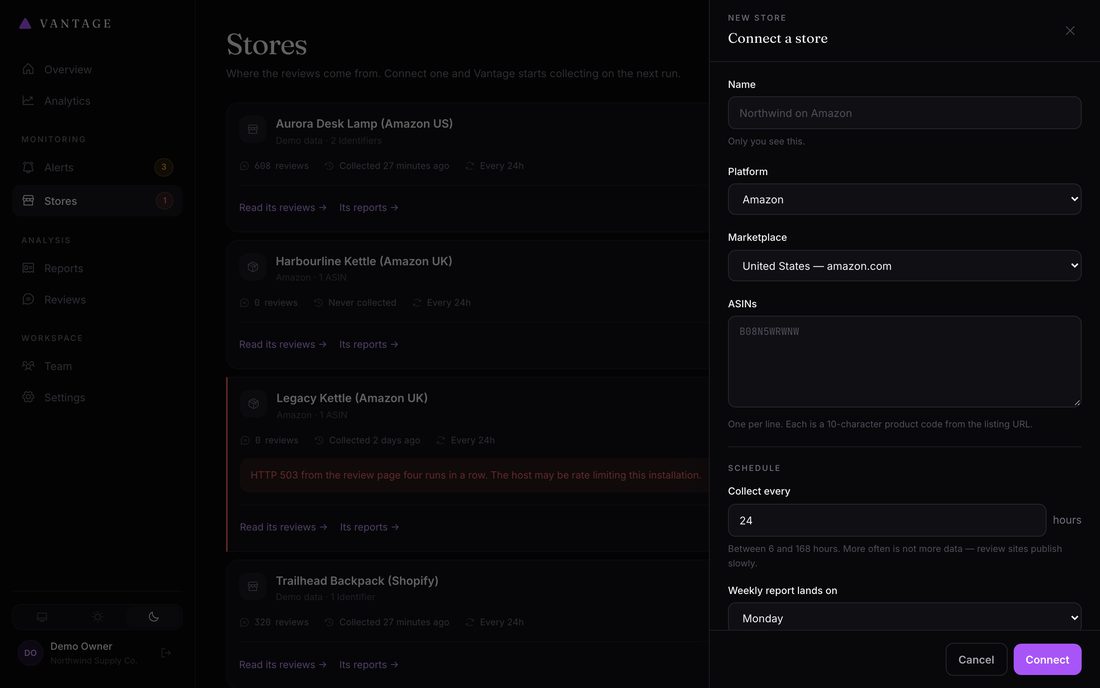
└── this is the ASIN- Open Stores in your dashboard and press Connect a store
- Name it however you think of it "Aurora Desk Lamp (Amazon US)" is more useful in six months than "Store 1".
- Choose Amazon, then your marketplace Ten marketplaces are supported: US, UK, Germany, France, Italy, Spain, Canada, Australia, India and Japan. Pick the one your listing is on — a product on amazon.co.uk needs the UK marketplace, not the US one.
- Add your ASINs One per product. You can track several products in one store, and their reviews will be analyzed together — useful for a product line, less useful for unrelated items.
- Save Vantage validates each ASIN, saves the store, and immediately starts collecting.
Shopify
Shopify does not host reviews itself — a review app does. Vantage supports Judge.me and Loox.
-
Choose Shopify and enter your storefront URL
For example
https://acme-supply.myshopify.com, or your custom domain. - Pick your review app Choose "Detect automatically" if you are unsure — Vantage will try each supported app in turn.
- Add a Judge.me API token if you have one Strongly recommended. The official API is faster and considerably more reliable than reading the public review widget. Find it in Judge.me under Settings → General → API token.
-
Optionally list product handles
The handle is the last part of a product URL:
/products/classic-tee. Leave this empty to track every product in your public catalog.
CSV import
Any review app that exports will work. Vantage matches your column names automatically, so you rarely need to reformat anything.
| Vantage looks for | Any of these column names | Required? |
|---|---|---|
| Review text | body, review, content, text, comment, message, review_body | One of these two |
| Rating | rating, stars, score, star_rating | |
| Author | author, name, reviewer, customer_name, buyer | Optional |
| Title | title, headline, subject | Optional |
| Date | date, created_at, review_date, published_at | Optional but recommended |
| Product | product, sku, asin, product_handle | Optional |
| Verified | verified, verified_purchase, verified_buyer | Optional |
Column names are matched case-insensitively and ignore spaces and underscores,
so Customer Name, customer_name and
customername all work.
Demo data
The Demo platform generates realistic synthetic reviews with no network access. Use it to explore Vantage before connecting anything real, or to show a colleague what a report looks like. It deliberately includes a sentiment decline in the most recent weeks so the alerting and trend features have something to show.
Schedule settings
| Setting | Default | Guidance |
|---|---|---|
| Collect reviews every | Day | Daily is plenty for almost every store. More frequent means more requests to the review site for very little extra data. |
| Weekly report on | Monday | Reports cover the previous complete week. Monday means you start the week knowing what last week looked like. |
| Collect automatically | On | Turn off to pause a store without deleting its history. |
| Generate reports automatically | On | You can always generate one manually from the store page. |
What happens next
Vantage starts collecting immediately after you save. On a store with a lot of review history the first collection can take several minutes — it is deliberately paced. Watch progress under Collection history on the store page.
Once there are at least five reviews in a week, that week can produce a report. Your first report will generate on your chosen day, or you can trigger one immediately with Generate report on the store page.