Alerts
Alerts exist so you find out about a problem in the week it starts, not the month after. Vantage checks every active store every six hours.
What triggers an alert
| Alert | Fires when | Usually means |
|---|---|---|
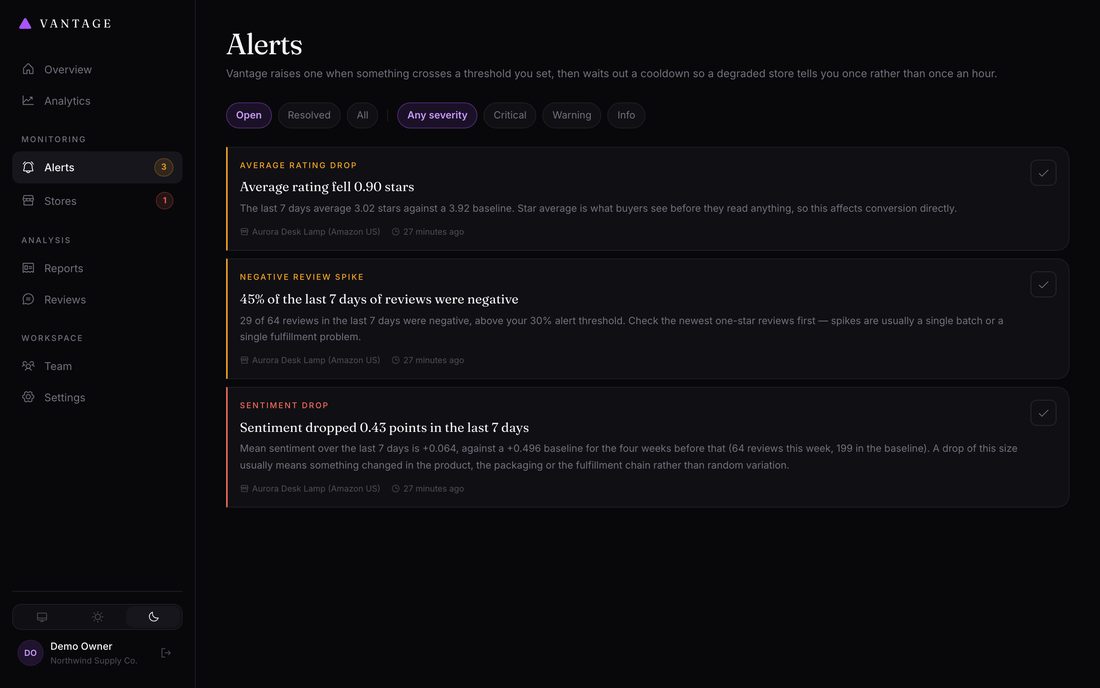
| Sentiment drop | The last 7 days fall more than 0.15 below the previous four weeks | Something changed — a supplier, a batch, a courier. Rarely random. |
| Negative review spike | More than 30% of the last 7 days are negative | Often a single bad batch or a fulfillment problem. Read the newest one-star reviews first. |
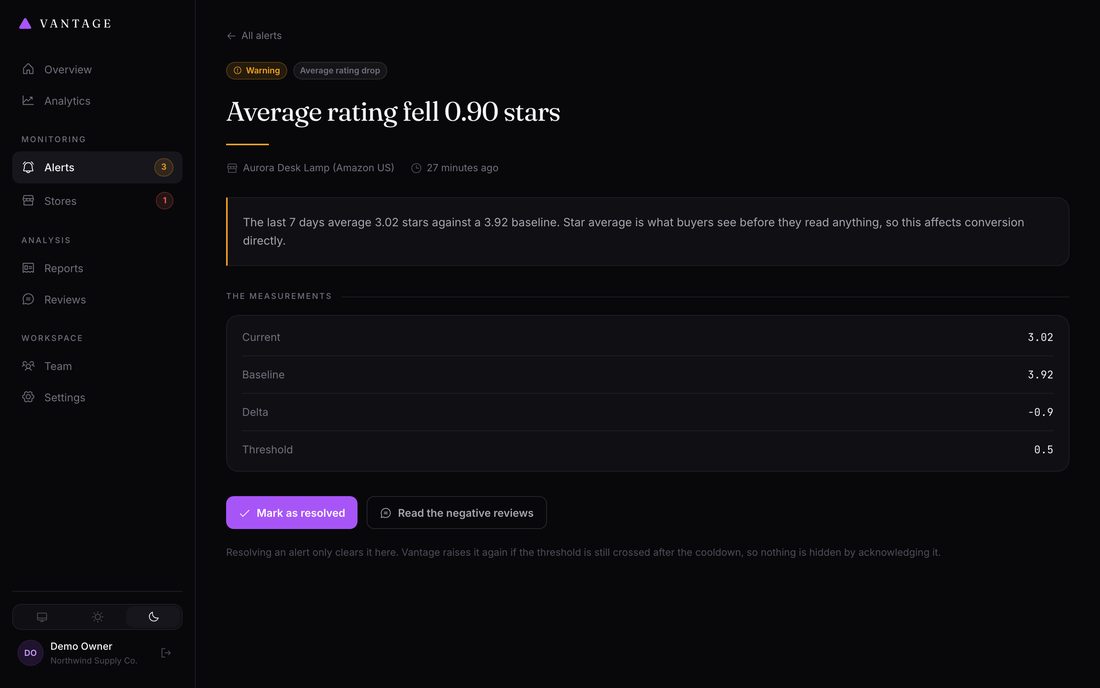
| Average rating drop | Star average falls more than 0.5 against the baseline | Directly affects conversion — buyers see the star average before they read anything. |
| Emerging complaint theme | A theme reaches high severity in a weekly report | A specific, nameable problem has become common enough to act on. |
| Review volume drop | Weekly reviews fall below half the usual rate | Either sales fell, or collection is quietly failing. Check the collection history before assuming the former. |
| Scraping failing | Three consecutive failed collections | Your data is going stale. See Troubleshooting. |
Why you won't be spammed
Two safeguards, both deliberate:
- A minimum sample size. No alert fires on fewer than ten reviews in the window by default. Three bad reviews in a quiet week is noise, not a collapse — and a tool that cries wolf gets its notifications muted within a fortnight.
- A cooldown. Once an alert fires for a store, the same type will not fire again for 48 hours. A store that stays degraded produces one alert, not one every six hours.
Handling an alert
- Read it Every alert includes the measurements behind it — what the figure was, what the baseline was, and how many reviews it is based on.
- Follow it to the reviews Use the Reviews page, filter to the store and to negative sentiment, and sort by newest. The specific complaints will usually be obvious within a dozen reviews.
- Acknowledge it Removes it from the open list without pretending it's fixed. Good for "I've seen this and I'm on it".
- Mark it resolved once you've fixed the cause Vantage will raise a fresh alert if the problem comes back.
Getting notified
Under Settings → Alerts:
- Email — an address to notify. Needs working mail configuration in
.env. - Webhook — a URL Vantage POSTs a JSON payload to for each alert. Works with Slack, Zapier, Make, or your own endpoint.
The webhook payload looks like this:
{
  "event": "alert.raised",
  "alert": {
    "id": 42,
    "type": "sentiment_drop",
    "severity": "critical",
    "title": "Sentiment dropped 0.41 points in the last 7 days",
    "body": "Mean sentiment over the last 7 days is -0.05...",
    "metrics": { "current": -0.05, "baseline": 0.36, "delta": -0.41 },
    "triggered_at": "2026-08-06T09:15:00+00:00"
  },
  "store": { "id": 1, "name": "Aurora Desk Lamp", "platform": "amazon" }
}
A failed notification never breaks a run.
If your webhook is down or mail is misconfigured, the alert is still recorded and
visible in the dashboard. Delivery failures are logged, not raised.
Tuning the thresholds
| Setting | Default | Raise it if… |
|---|---|---|
| Sentiment drop threshold | 0.15 | Your reviews are naturally volatile and you get alerts that turn out to be nothing |
| Negative review threshold | 30% | Your product category simply attracts more critical reviews |
| Minimum reviews before alerting | 10 | You have a high-volume store and want fewer, more certain alerts |
| Cooldown | 48 hours | You want to hear about ongoing problems less often |