Branding & public pages
Make Vantage yours: your name, your mark, your accent color, your terms of service. All of it from the admin panel, none of it by editing a file.
Branding
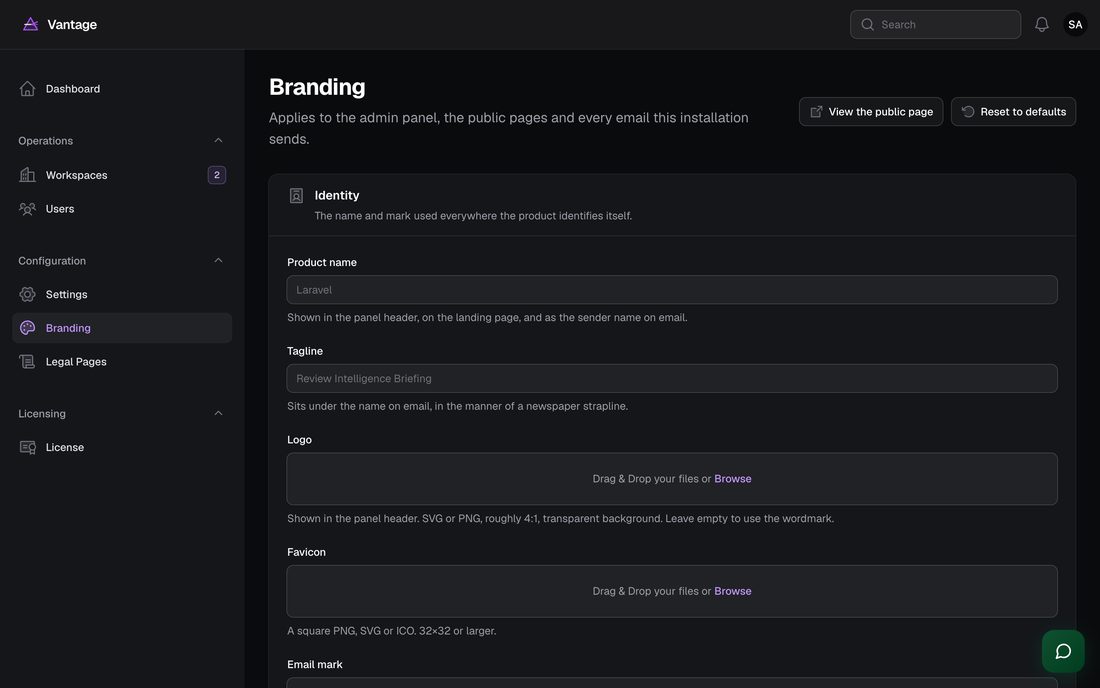
Configuration → Branding. Everything set here applies to the admin panel, the public landing page, the legal pages, the error pages and every email Vantage sends. Leave a field empty and Vantage falls back to its shipped default, so you can change one thing without having to fill in all of them.
| Field | Where it shows |
|---|---|
| Product name | Panel header, landing page, browser tab, sender name on email |
| Tagline | Under the name on every email |
| Logo | Panel header. Roughly 4:1, transparent background. |
| Favicon | Browser tab, on both the panel and the public pages |
| Email mark | The small square mark above the name on emails |
| Accent | Buttons, links, meters and rules, everywhere |
| Custom CSS | Injected into the public pages only |
| Company, address, contact email | Legal pages and the public footer |
| Footer note and social links | The public footer |
Expected: saving takes effect immediately. Reload any open page to see it.
Legal pages
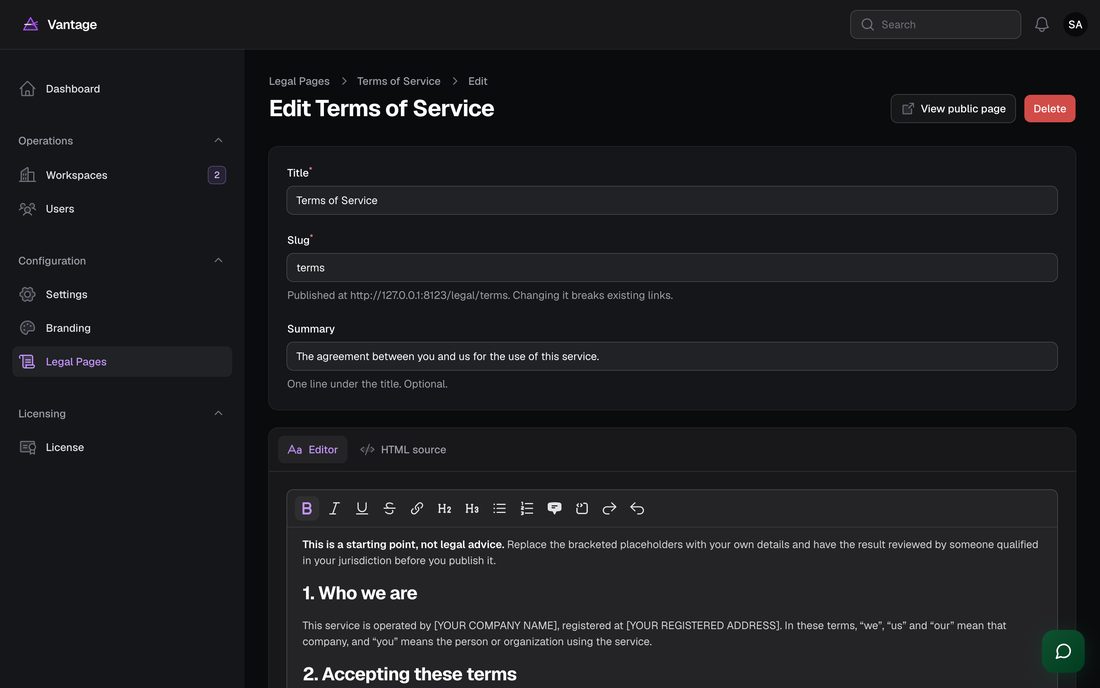
Configuration → Legal pages. Vantage ships four drafts — terms of service, privacy policy, cookie notice and refund policy — all of them unpublished, and all of them full of bracketed placeholders.
[BRACKETS].
- Fill in your company details first Branding → Company and contact. The drafts refer to them.
-
Edit each page
Two tabs: a rich editor for ordinary writing, and an HTML
source tab for full control over the markup. Use the source tab when
you are pasting a document from a lawyer or a policy generator.
Expected: scripts, iframes, forms and event handlers are stripped when you save. Headings, lists, tables, links, quotes and inline styles are kept.
-
Publish
Under Publishing, turn on Published.
Expected: the page appears at
/legal/your-slugand, if you left the footer toggle on, in the public footer. Unpublished pages return a 404 rather than leaking a draft.
Two addresses are aliased because people type them and other sites link to
them: /terms and /privacy resolve to the pages with
those slugs.
The public landing page
Your domain root serves a marketing page describing the product. It takes its
name, mark, accent and footer from Branding. If you are running Vantage
privately and do not want a public page at all, point your web server at
/admin or put the installation behind authentication.
Error pages
Vantage replaces the framework's default error pages with its own, in your branding: 401, 403, 404, 419 (an expired form), 429 (rate limited), 500 and 503 (maintenance). Each explains what happened in plain words and offers a way back. They render without touching the database, which matters because a 500 is often shown precisely when the database is the problem.